
If you own a large website or are looking to maximize the visibility of frequently updated content, understanding and optimizing your crawl budget is essential for ensuring search engines find and rank your most important pages.
What exactly is the Crawl Budget?
Crawl budget is defined as the number of URLs or documents on your website that search engines, such as Google, will crawl (discover) within a specific time period. Once that number is reached, the crawler moves on.
Search engines must assign a crawl budget because they have limited resources and need a way to prioritize their crawling efforts across the billions of websites available globally. This means they won’t crawl every site as soon as there is a site update – there are limits.
While we often discuss crawl budget in terms of pages, it actually applies to any document that search engines crawl, including:
- JavaScript and CSS files.
- Mobile page variants.
- hreflang variants.
- PDF files.
Crawl budget is sometimes also referred to as “crawl space” or “crawl time”.
Why You Should Care About Crawl Budget
Google must first crawl and then index your pages before they can appear in search results. If your crawl budget is wasted or insufficient, important content may not be indexed quickly, severely impacting your organic traffic and business growth.
For the vast majority of sites, Google is efficient enough that worry isn’t necessary. However, crawl budget becomes especially critical for SEO (Read more about SEO) in specific situations:
- Very Large Websites: If your site is large and complex (e.g., 10,000 pages or more), Google may not find new pages immediately or recrawl existing pages often enough.
- High Page Volume: If you frequently add large batches of new pages, an optimised crawl budget is needed to ensure those pages gain visibility quickly.
- Technical Issues: Crawlability problems on your site can prevent search engines from efficiently processing your content, meaning your pages may not show up in search results.
- Wasting Resources: If you are wasting crawl budget, search engines may spend time on irrelevant parts or pages of your site, leaving essential content undiscovered.
How Google Determines Your Crawl Budget
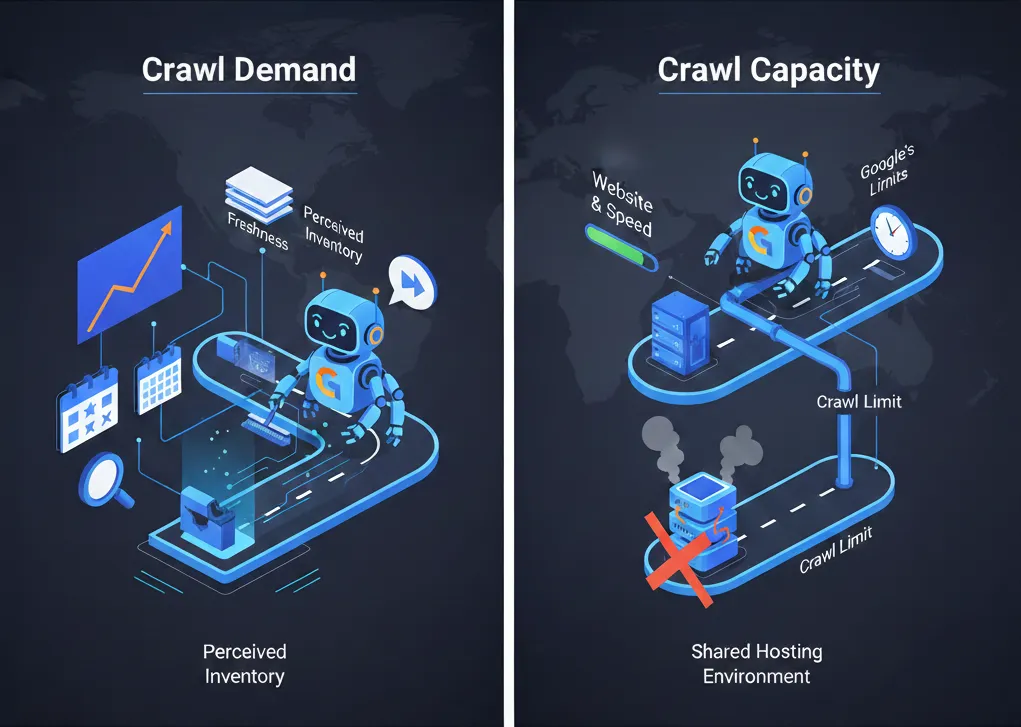
Google determines your crawl budget based on two main elements: Crawl Demand and Crawl Capacity Limit.
Crawl Demand (Crawl Scheduling)
Crawl demand is essentially how often Google wants to crawl your site, based on the importance it gives it. .
Factors influencing Crawl Demand include:
- Perceived Inventory: Google generally attempts to crawl all or most known pages, unless instructed to skip them via mechanisms like the robots.txt file or 404/410 status codes.
- Popularity: Google prioritizes pages that attract higher traffic and have more relevant, authoritative backlinks, as these signals suggest the site is important and worth crawling frequently.
Staleness/Freshness: Search engines crawl frequently enough to detect changes. Sites that update content regularly, like news websites, have high crawl demand. If content rarely changes, Google may crawl it less often. Note: Quality should be prioritized over making frequent, irrelevant changes just to boost crawl frequency.
Crawl Capacity Limit (Host Load)
This element prevents Google’s bots from overwhelming your web server with too many requests, which could lead to performance issues. The limit is affected by your site’s overall health and Google’s internal resources.
Factors influencing Crawl Capacity Limit include:
- Site Health and Speed: If your website responds quickly to requests, the crawl capacity limit may increase, allowing Google to crawl pages faster. Conversely, server errors or slow responses reduce the limit. Tip, this is another reason why having a fast website is important.
- Hosting Environment: If your site is on a shared hosting platform with many other websites, the crawl limit is determined at a host level and must be shared, potentially limiting your individual budget.
- Google’s Limits: Even though Google’s systems have vast capacity, they are finite, meaning external resource limitations can affect your capacity limit.
How to Check Your Crawl Activity
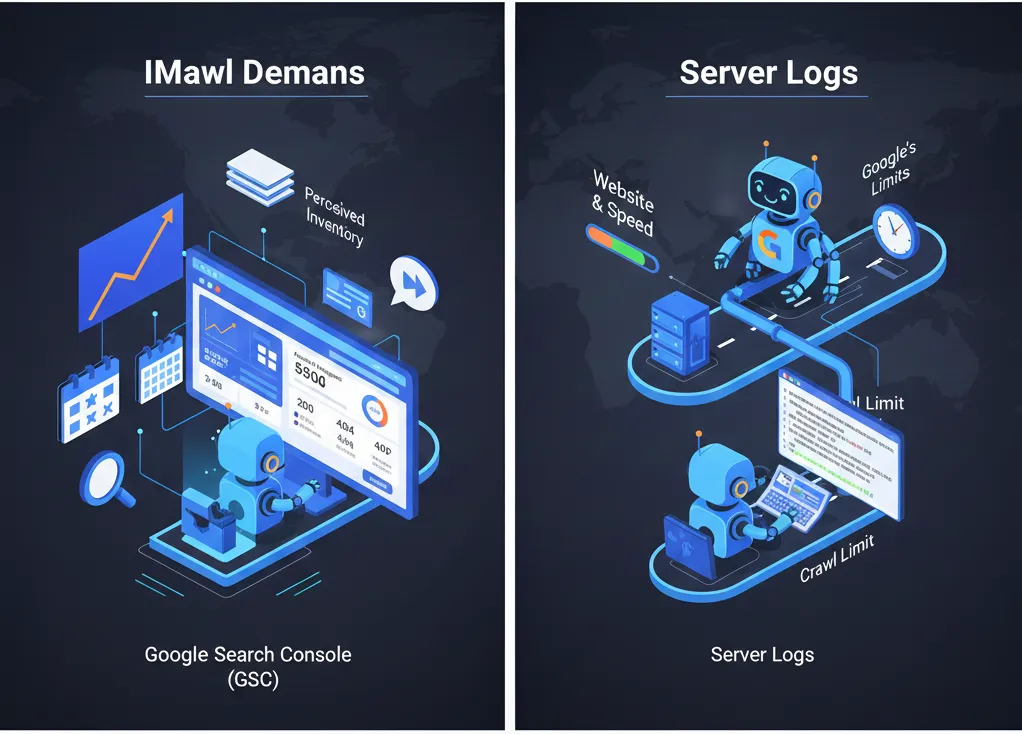
The best resource for checking how Google crawls your website is Google Search Console (GSC).
By navigating to “Settings” and then the “Crawling” section, you can access the “Crawl stats” report which provides detailed insights.
Key GSC metrics include:
- Total Crawl Requests: The number of crawl requests made in the past 90 days.
- Total Download Size: The data volume downloaded by crawlers.
- Average Response Time: How quickly your server responded to requests (in milliseconds).
- Host Status: Indicates if there were issues with connectivity, DNS, or fetching robots.txt.
- Crawl Requests Breakdown: Shows data grouped by response codes (e.g., 200 OK, 404 Not found), URL file type (e.g., HTML, image), purpose (Discovery or Refresh), and Googlebot type.
Additionally, checking your server logs can provide valuable comparison statistics regarding how often Google’s crawlers are accessing your site.
Crawl Budget Optimization Checklist
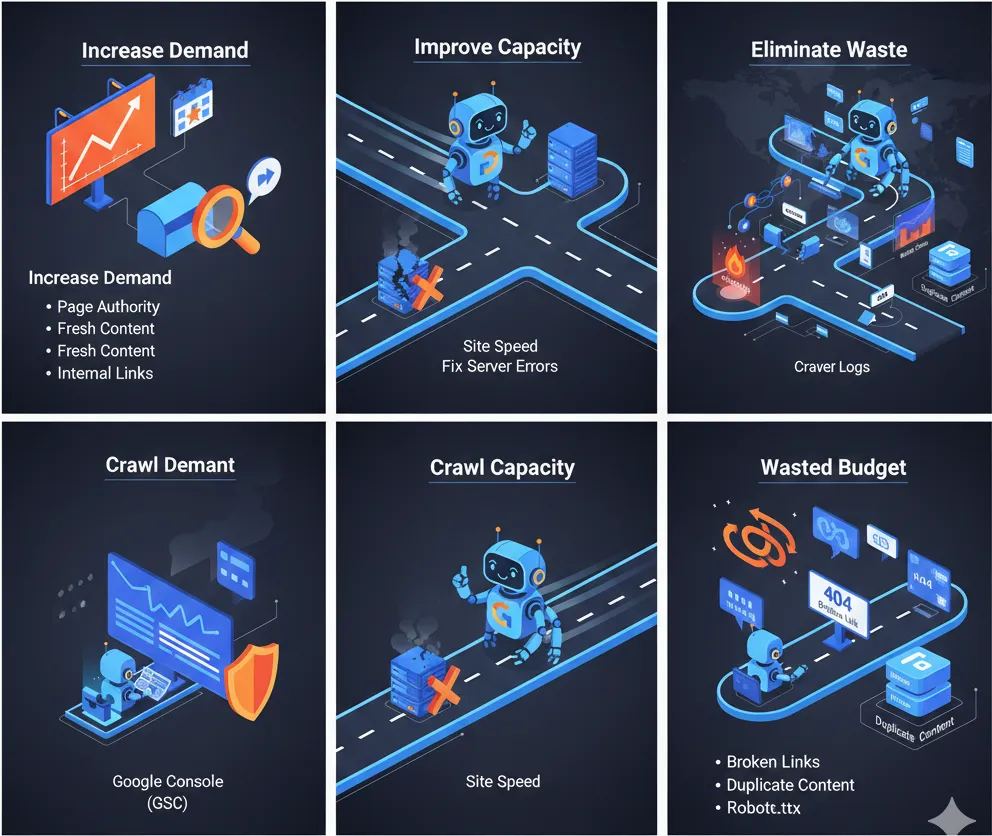
Here is a structured outline of the key factors that determine crawl budget and the essential steps for optimization:
Element | Description | Why It Matters for Crawl Budget | Optimization Action |
Crawl Demand | How often Google wants to crawl your site based on its perceived importance and content freshness. | Determines the frequency and priority of crawling. | Increase page authority (link building), update content meaningfully, and prioritize internal links to important pages. |
Crawl Capacity | How much crawling your site can handle without experiencing performance issues or server overload. | Dictates the absolute limit of crawl requests. | Improve Site Speed—faster sites can handle more requests, increasing capacity. Fix server errors. |
Wasted Budget | When crawlers spend time on unnecessary pages or dead ends. | Results in important pages being missed and unindexed. | Eliminate technical waste such as broken links, duplicate content, and excessive redirects. |
7 Key Optimization Tips to Maximize Crawl Budget
Optimizing your crawl budget is primarily about making sure search engine bots spend their resources efficiently.
- Improve Site Speed: Fast page load times allow Googlebot to visit and index more pages within the same timeframe, which helps maximise your budget and improve user experience (UX). This includes optimising images and minimising code.
- Use Strategic Internal Linking: A clear internal linking structure helps crawlers easily navigate and understand your content hierarchy. Ensure all important pages are linked internally to avoid “orphaned pages” that Google finds difficult to discover.
- Block Unwanted URLs with robots.txt: Use your robots.txt file to instruct search engine bots not to crawl private, unimportant, or parameter-based URLs that waste resources. This is crucial for minimizing crawl budget waste.
- Keep Your XML Sitemap Up to Date: Sitemaps guide Google to your most important pages. Only include indexable URLs in your sitemap (e.g., avoid including 3xx, 4xx, or 5xx pages).
- Remove Unnecessary Redirects: Excessive use of redirects, particularly redirect chains (multiple redirects in a row), slows down page load times and consumes crawl budget.
- Fix Broken Links (404s): Broken links point to dead pages, but bots may still try to crawl them, wasting resources. Fixing these links improves crawlability and user experience.
- Eliminate Duplicate Content: Identical or highly similar pages waste budget because bots crawl multiple versions of the same content. Use rel=canonical tags or 301 redirects to consolidate identical pages.
Conclusion: Make Googlebot's Job Easier
Optimising crawl budget is a cornerstone of technical SEO. By regularly monitoring your site’s health (often using tools like Google Search Console or Semrush’s Site Audit) and ensuring search engines focus only on your highest-quality, most essential content, you maximize the chance that your hard work will be found, indexed, and ranked.
Think of your website as a massive library: Your crawl budget is the allotted time the librarian (Googlebot) has to organize and catalog books. If you leave piles of outdated, broken, or duplicate catalogs lying around, the librarian wastes time on junk and misses cataloging the valuable new arrivals. By cleaning up the clutter and providing a clear, fast-loading structure, you ensure the librarian spends all their time focusing on the books you want patrons to read!
FAQ
1. Do I need to worry about the crawl budget for my website?
Likely not. The post explains that for the vast majority of sites, Google is efficient enough that you don’t need to worry. Crawl budget is primarily a priority for very large websites (10,000+ pages), sites that frequently add large volumes of new content, or sites suffering from severe technical crawlability issues.
2. How does Google determine my site's crawl budget?
Google determines your budget based on two main factors:
- Crawl Demand: How much Google wants to crawl your site based on popularity and content freshness.
- Crawl Capacity: How much crawling your server can handle (speed and health) without crashing or slowing down.
3. What wastes the crawl budget the most?
Your budget is wasted when search engine bots spend time on low value or broken parts of your site. The biggest culprits mentioned are slow page speeds, excessive redirect chains, broken links (404s), duplicate content, and irrelevant URLs that haven’t been blocked by your robot.txt


